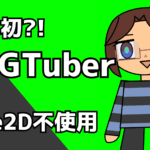
World’s First?! How to Build a VTuber Without Live2D: “SVGTuber”

React × TypeScript × SVG × MediaPipe — build a lightweight, resolution-independent VTuber entirely in code, no Live2D required. This guide walks through the full pipeline: landmarks → features → smoothing → SVG controls → OBS capture, with commented code you can adapt. Demo Video What This Article Covers Why SVG (SVGTuber)? Suitable for: Recommended Tech Stack 👉 Tip: Set refineLandmarks: true for stable iris detection, improving gaze and blinking quality. Example: FaceMesh basic options Overall Data Flow Webcam → FaceMesh (landmarks) → Features (blink/gaze/mouth/yaw-pitch-roll) → Smoothing/Clamping → React State → <Character /> props → SVG transform (translate/rotate/mask/shape) → OBS capture Step 1. Parts Separation & SVG Drawing Consistent stroke…
My 2025 Dev Journey: React Native, Flutter, AI Q-Learning, Supabase, and Beyond

my 2025 dev journey

Yo, listen up—here’s a story about how I’ve been building apps this year, one phase at a time. I’m BLUE Copper (Yuri Saito). Everything here started in this fiscal year, and each project became a stepping stone to the next.I want to write this down not just as a changelog, but as a story of how my tech stack grew and evolved. Phase 1: React Native Expo Garakta This was my very first attempt with React Native Expo. The concept was messy, unclear, and honestly just me trying to make something fun without thinking about App Store guidelines. Unsurprisingly, it kept getting rejected.But still—thanks to Garakta, I got comfortable with…

世界初?! Live2Dなしで作るVTuber「SVGTuber」の作り方

この記事の内容 なぜSVG(SVGTuber)? 向いている人 技術スタック(推奨) ポイント:refineLandmarks: true にすると虹彩(瞳)が安定し、視線・瞬きの品質が上がる。 抜粋:FaceMeshの基本オプション 全体像(データフロー) Webカメラ → FaceMesh(ランドマーク) → 特徴量(瞬き/視線/口/ヨー・ピッチ・ロール) → スムージング/クランプ → React State → <Character /> props → SVG変換(移動/回転/マスク/形状) → OBSでキャプチャ Step 1. パーツ分けとSVG描画 線幅を一定に保つ基本 注意:パス形状そのものをスケールすると「線」は維持できても形は潰れます。厳密に線幅を一定にしたいときは、縮尺で絞るのではなく形状バリエーションを切替えるのがベター。 Step 2. 顔の動きに紐づける(条件→効果がわかる設計) Step 2-1. 瞬き(左右独立・ウィンク対応) 条件:上下まぶたの距離 ÷ 目の横幅(正規化)効果:t=0(開)→1(閉)で上まぶた線を下げる。瞬き中は視線をホールドして黒目が暴れないように。 抜粋:開き具合の正規化 & ヒステリシス Step 2-2. 視線 条件:虹彩中心(瞳)から目の中心比を取り、[-1..1]にクランプ効果:eyeOffsetX/Y で黒目の位置を動かす。瞬きによるYのチラつきを抑えるため、瞬きが深い時は前フレームを保持する 抜粋:瞬き時の視線ホールド Step 2-3. 口の形(真顔/ V字形 / ▽形 /“お”) 条件(例) 効果 抜粋:開き量0..1 Step 2-4. 顔の向き(ヨー/ピッチ/ロール) 条件 効果(2D的な表現を重視) 抜粋:ヨー/ピッチ→顔オフセット Step 3. 髪の擬似物理(バネ・減衰) 設計意図 抜粋:最小のスムージング道具 Step 4. 呼吸(上半身の上下+肩の回転) 条件:周期トライアングル波(吸う/吐く)。フェイストラッキングとは関係なく、常に動き続ける効果: 抜粋:肩回転の下限を保証 Step 5. 上半身の傾き(“画面上の顔位置”ベース) 条件:画面上の顔X位置(ユーザーが画面の端に寄る)+ヨー角(少し影響)効果:最大±8°で上半身を傾け、体重移動の自然さを演出 抜粋:位置→角度 Step 6. 動きの安定化方法(clamp / EMA / dead zone / ヒステリシス) 抜粋:デッドゾーンの典型 Step7. UIとOBS 開発時のおすすめ設定 ブラウザUIにあると便利な機能 抜粋:UIトグル(グリーンバック切り替え) 配信への組み込み 先駆者様:Pose Animator の紹介と、SVGTuber との違い・使い分け 以上、SVGのみでVTuberを作る方法の紹介でした! Appendix(コードのダイジェスト) App.tsx Webカメラから取得した顔の動きを解析し、特徴量をReactの状態に変換してCharacter.tsxへ渡す中枢コンポーネントです。 components/Character.tsx App.tsxから渡された状態値をもとにSVGパーツを動かしてキャラクターの見た目を描画するコンポーネントです。「propsに何を渡すとどこが動くか」が要点です。 変数・状態の一覧 App.tsx(入力→特徴量→状態)…

Array Mbira Guide: iPhone App Now Available!

Array Mbira Guide is out now!

— A simple practice app for Array Mbira learners So… I made a little app! 🎉 It’s called Array Mbira Guide, and it’s a simple tool for anyone who wants to practice or learn the Array Mbira (or similar kalimba layouts). 💡 What’s in the app? 📱 Available on the App Store: 👉 https://apps.apple.com/app/array-mbira-guide/id6748903837 (*Note: The app is currently only in Japanese, but the core features are language-independent. Feel free to give it a try!) 🎵 Why I made this app Because my mom bought an Array Mbira, and she wanted to practice. The thing is, it’s a pretty resonant instrument, so practicing at night can be tricky. With an…